
The Problem It Actually Solves
Here's a situation you probably know by heart: a client wants to check a part. A colleague needs to confirm something before sending it to print. Or you just want to eyeball mesh geometry before shipping a file off — and the fastest path shouldn't involve hoping the person on the other end has the right software installed.
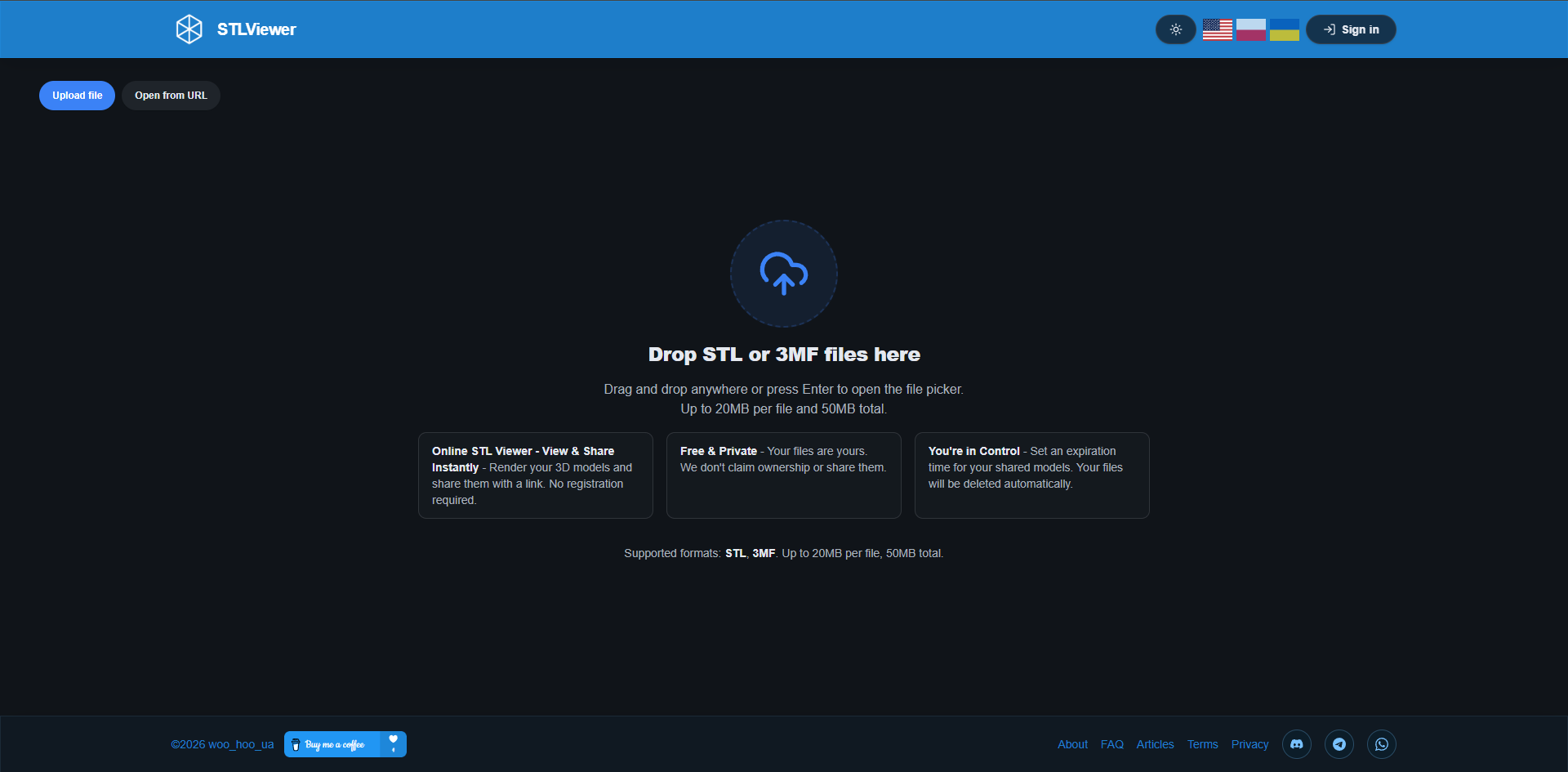
STLViewer.online exists for exactly that moment. Drop in an STL or 3MF from your drive and you've got a fully interactive, shareable 3D preview in under a minute. No installs. No account. No subscription fee hiding behind a "free trial."
This guide walks through every feature in detail — the rendering engine, how materials work, the measurement tool, sharing options, and what happens to your files privacy-wise — so you know exactly what you're getting before you try it.
What STLViewer.online Actually Is
It's a free, browser-based 3D viewer focused on STL and 3MF files. Everything renders locally on your device through WebGL — that's the graphics technology baked into every modern browser, the same thing powering browser-based games and interactive 3D maps. A file only hits the cloud if you deliberately choose to share it. A local preview? Stays completely on your machine.
Two main workflows cover what most people need:
- Quick local preview: Drag a file onto the viewer and inspect it right there. Nothing uploads. Nothing gets stored. The file doesn't leave your device.
- Share workflow: Upload the file, set an expiry period and download permissions, get a unique link, a QR code, or an embeddable snippet — recipients don't need any viewer software either.
The app is available in three languages: English, Polish, and Ukrainian.
Supported Formats
STL — Binary and ASCII
Both variants are supported, and the distinction matters more than you'd think.
Binary STL is what most CAD tools and slicers write by default — compact, efficient, the format that travels well. The viewer identifies binary files by their actual structure, not the filename, so a mislabeled or improperly exported file gets caught rather than silently producing a blank screen.
ASCII STL is the plain-text version. Bigger file sizes for complex meshes, but fully supported — handy when you need to inspect or hand-edit the raw geometry data.
File limits: 20 MB per file, 50 MB total if you're uploading a batch. Integrity is validated on drop — a corrupted or unsupported file gives you a clear error message, not a confusing blank screen.
3MF — 3D Manufacturing Format
3MF is the modern successor to STL, standard in Bambu Studio, PrusaSlicer, and most current slicers. The viewer loads the full mesh content and renders it as an interactive 3D model.
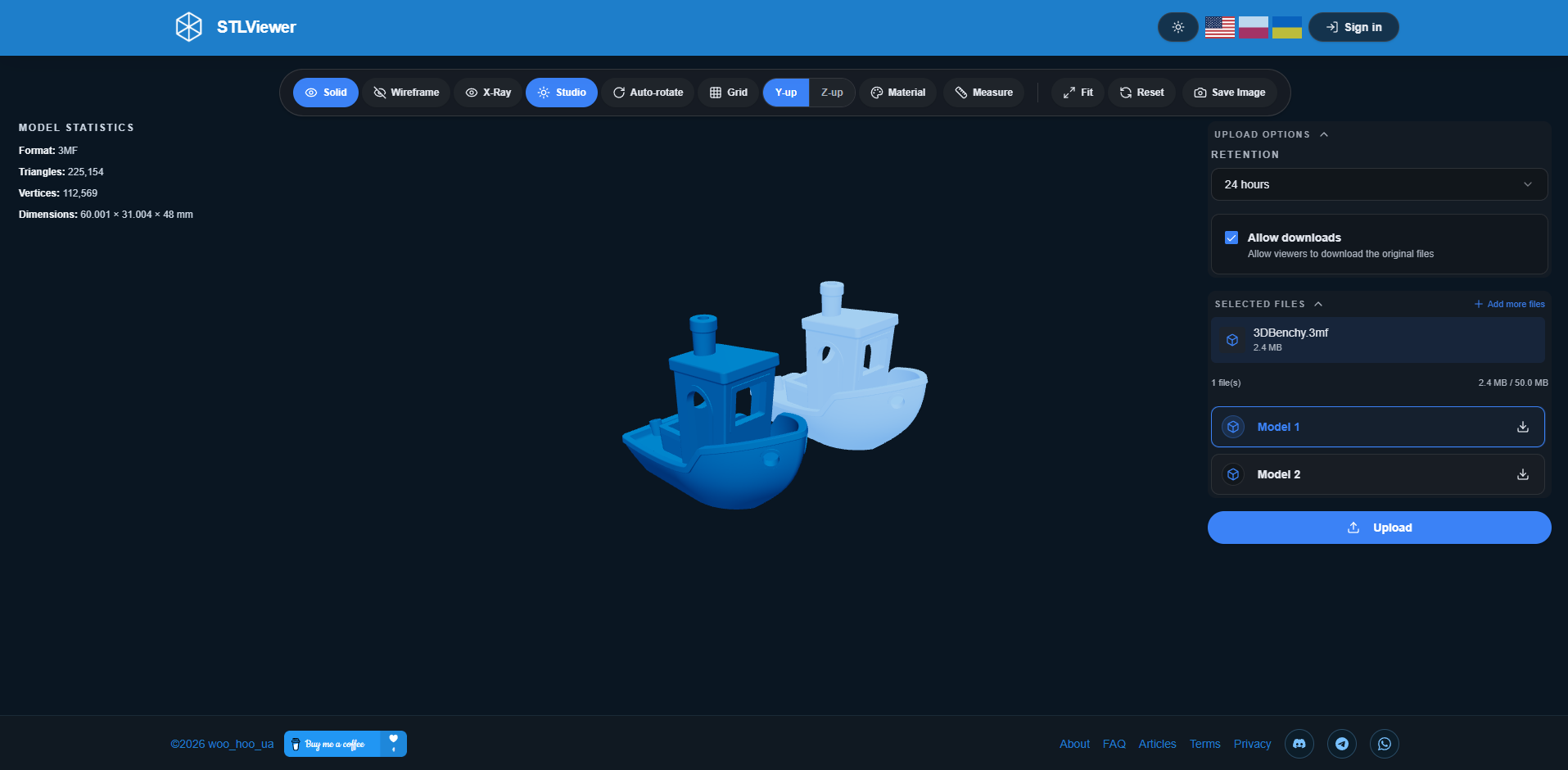
Multi-part 3MF assemblies get dedicated handling — every named component is listed individually. Pick any part to see its own stats, highlight it in the viewport, export it as a standalone binary STL. That's genuinely useful when you receive a full slicer project file and only need to review or extract one specific piece.
Supplementary Attachments
Alongside the main 3D file, you can upload supporting materials that appear on the shared model page:
- Images:
.png,.jpg,.jpeg,.webp,.gif - Text:
.txt,.md(rendered as formatted text)
Feature Overview
Viewing and navigation
- Real-time 3D rendering in the browser — no plugins, no extensions needed
- Full rotation, pan, and zoom via mouse or touch input
- Fit-to-screen and camera reset in the toolbar
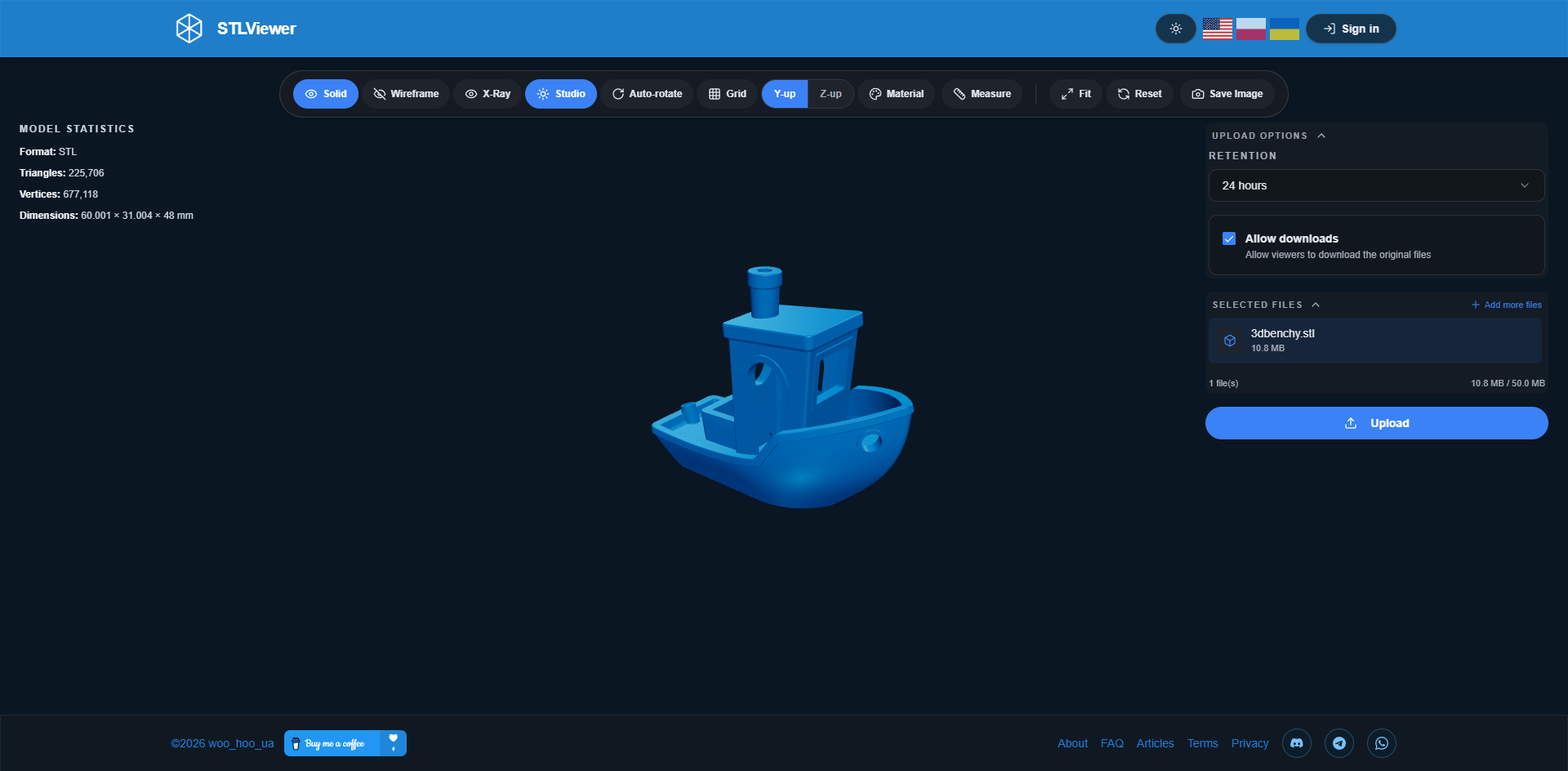
- Three rendering modes: Solid, Wireframe, and X-Ray (semi-transparent)
- Optional grid overlay
Analysis
- Statistics panel: triangle count, vertex count, bounding-box dimensions (X × Y × Z)
- Click-to-measure tool for checking distances directly on the model surface
Visual customization
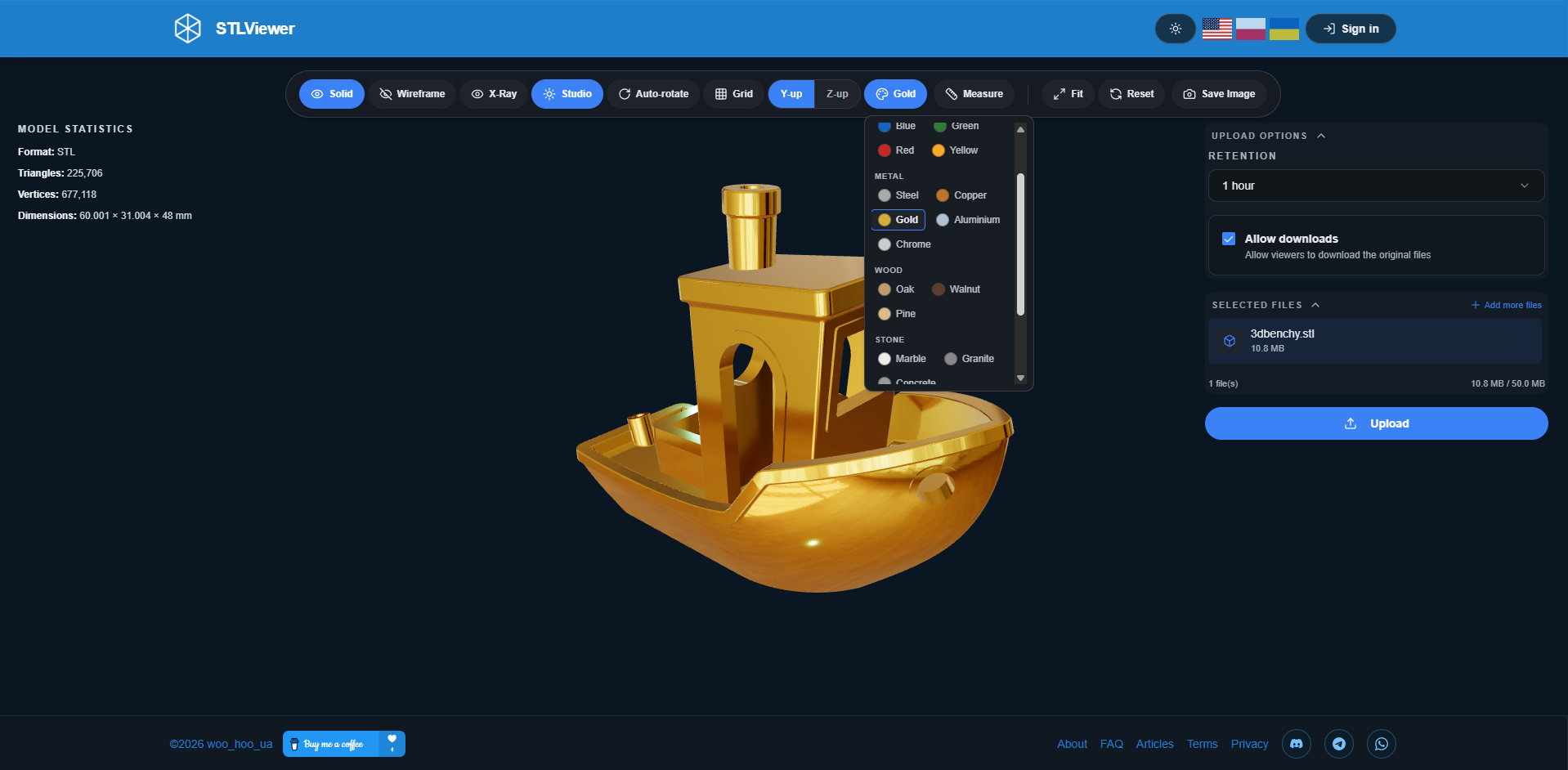
- Named material presets across six categories: Color, Metal, Wood, Stone, Plastic, and Ceramic
- Two lighting setups: Studio and Neutral
- Dark mode, light mode, and automatic system-preference mode
Sharing
- Private share links — randomly generated, not guessable, not publicly listed anywhere
- QR code generation, downloadable as PNG or SVG
<iframe>embed code for adding the interactive viewer to any webpage- Per-model settings: download toggle, expiry period from 1 hour to 7 days
Account and management
- Anonymous upload — no account, no email required
- Optional account for managing uploads, extending expiry, tracking download counts
A Closer Look at Each Feature
3D Rendering in the Browser
WebGL does the heavy lifting here. It's the same graphics API that powers browser-based games and interactive 3D maps — already built into Chrome, Firefox, Safari, and Edge. No plugin. No extension. If your browser is reasonably current, the viewer just works.
Rendering uses physically-based lighting, which is a fancy way of saying surfaces look like actual materials under real light rather than flat and plasticky. Shadows render at high resolution for solid depth and shading detail. Orbit controls feel responsive — click and drag to rotate, scroll to zoom, right-click drag or two-finger drag to pan. There's a natural deceleration when you release, which makes landing on exactly the angle you want much easier.
When a model loads, the camera automatically frames the entire mesh. The Fit button repeats this any time you've wandered off. The Reset button goes back to the default isometric view — handy after you've dug deep into a detail and lost your orientation.
One thing worth knowing: the viewer automatically adjusts its rendering depth range to match your model's size. That prevents the depth-buffer artifacts that ruin the view when looking at very large or very small-scale geometry.
Material Presets
This is probably the feature that makes the biggest visual difference. Most browser-based viewers show everything in a flat, uniform gray — that's it. STLViewer.online has set of named material presets spread across six categories:
| Category | Presets |
|---|---|
| Color | Predefined solid base colors |
| Metal | Steel, Copper, Gold, Chrome, Aluminium |
| Wood | Oak, Walnut, Pine |
| Stone | Granite, Marble, Concrete |
| Plastic | White, Black |
| Ceramic | Porcelain |
The key detail: textures project seamlessly across the mesh regardless of how the model was built. No UV unwrapping required. Any STL or 3MF straight from a CAD tool will look consistent and presentable in any material — the viewer handles that projection automatically.
Textures are cached after first load, so cycling back to a preset you've already tried is instant.
The Measurement Tool
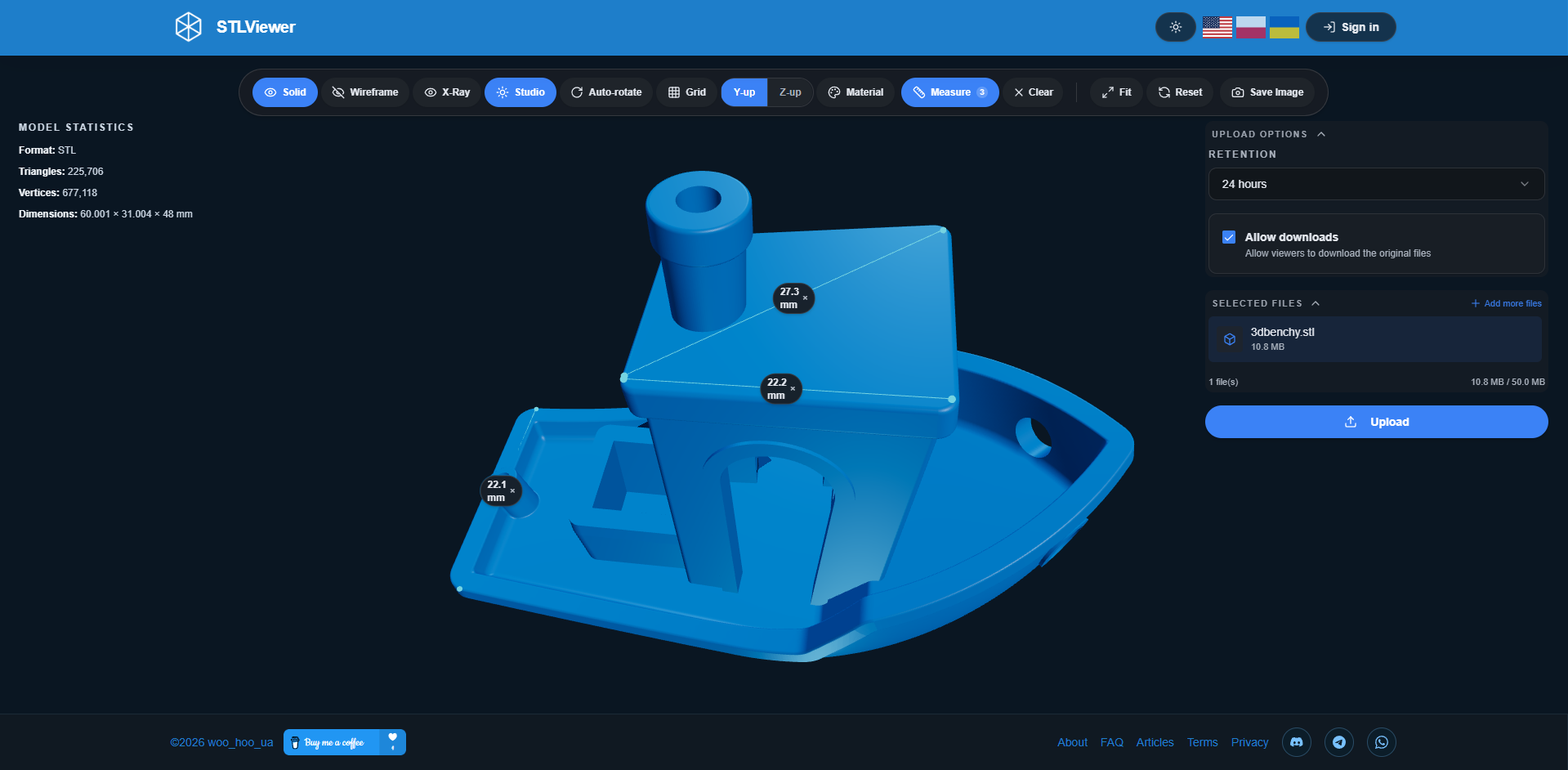
Activate it from the toolbar, click a point on the model surface to set the first anchor, click a second point — you get a measurement line and the actual distance. The tool uses the model's real geometry for point placement, so readings reflect the actual mesh rather than bounding-box approximations.
Multiple measurements can sit on the model at once. Each stays visible until you delete it individually or clear all of them.
There's also a small drag threshold built in, so you won't accidentally drop a measurement point while rotating the model. The viewer distinguishes between a deliberate click and a rotation gesture — a small thing that makes the tool far less frustrating in practice.
3MF Assembly Support
Load a multi-part 3MF and every named component gets listed in a side panel. Click a component name:
- It highlights with a blue glow so it stands out clearly in the viewport
- The stats panel updates to show that part's individual triangle count and dimensions
- An export button appears to download just that part as a binary STL
If you've ever received a full slicer project file containing multiple objects and needed to pull out just one specific part without opening the slicer itself — this is the feature for that.
Sharing, QR Codes, and Embeds
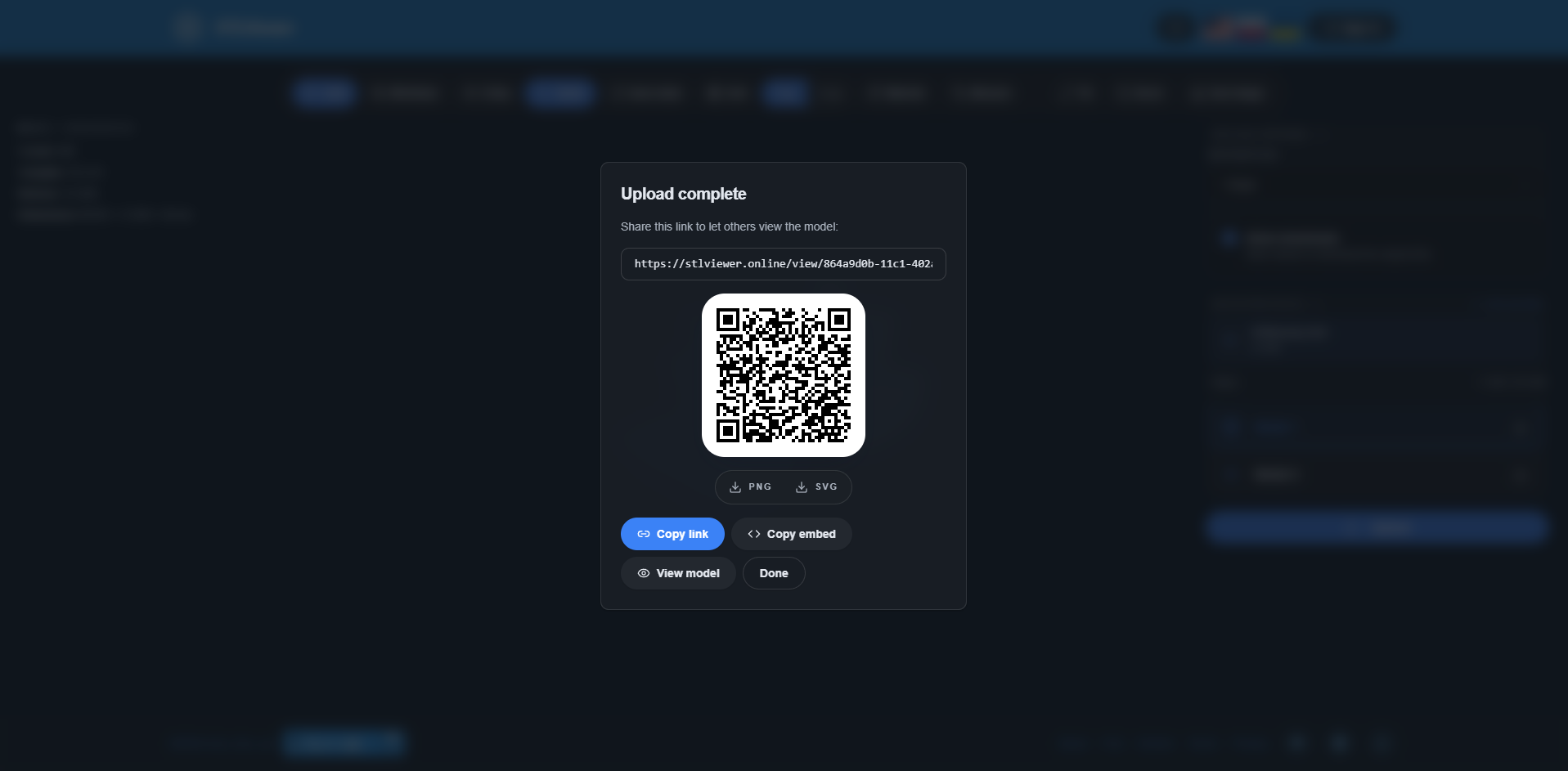
Uploading a model gives you three things to work with:
Share link: A URL with a randomly generated identifier — something like stlviewer.online/view/8f3a.... Not sequential, not guessable, not listed anywhere on the site.
QR code: Generated directly from the share link, entirely client-side — no third-party QR service involved. Two formats:
- PNG for printing on product labels, assembly guides, or packaging
- SVG for vector editors or laser-cut templates
Embed code: A self-contained <iframe> snippet. Paste it into any page and visitors get a fully interactive viewer right there. The application shell (header, navigation, info panels) is hidden in embed mode. Works well for product documentation, blog posts, or project pages.
At upload time, two additional settings:
- Allow download: Whether visitors can grab the original file through the share link
- Expiry: 1 hour, 6 hours, 12 hours, 24 hours (default), 3 days, or 7 days
The Interface
Themes
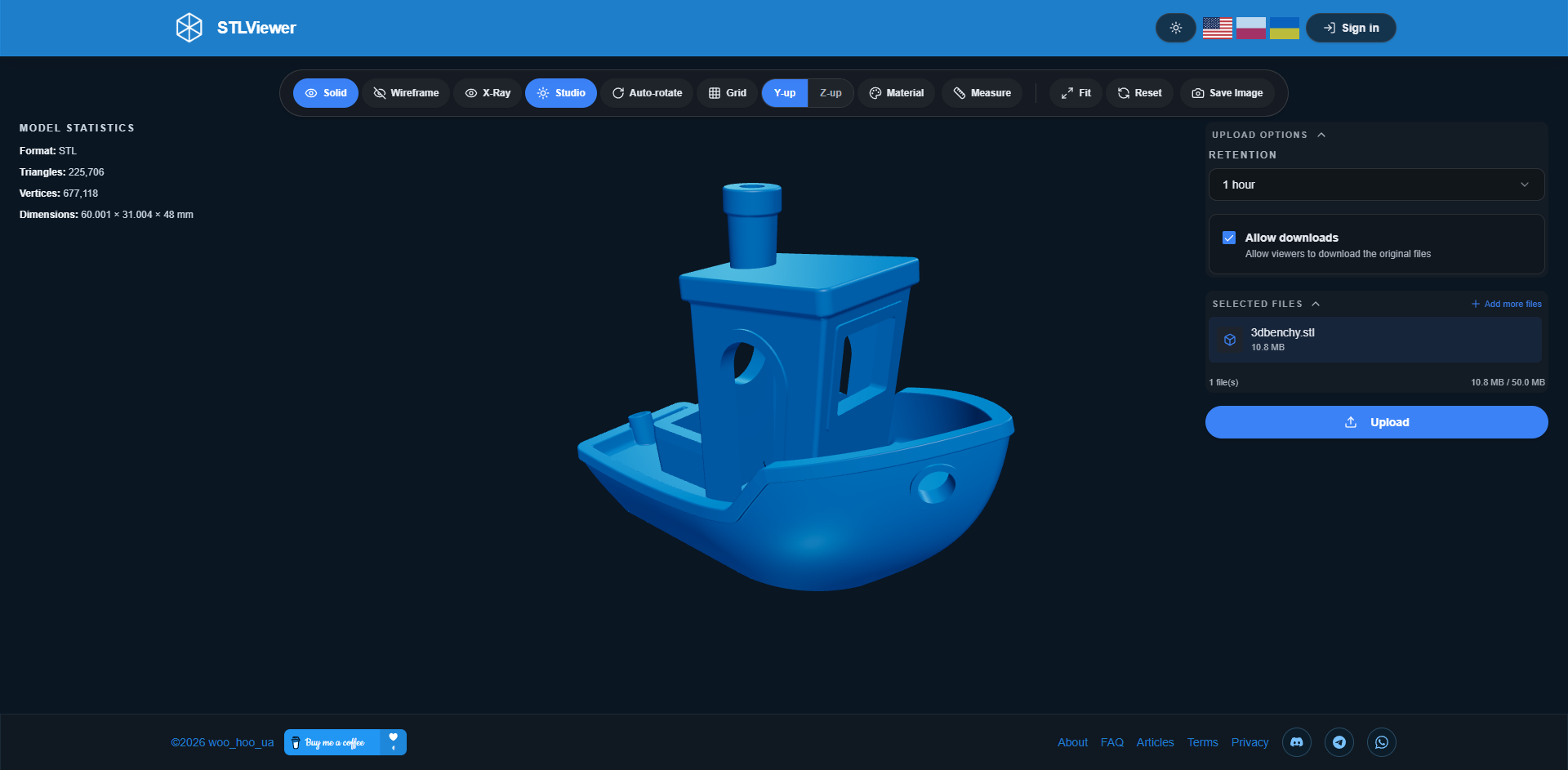
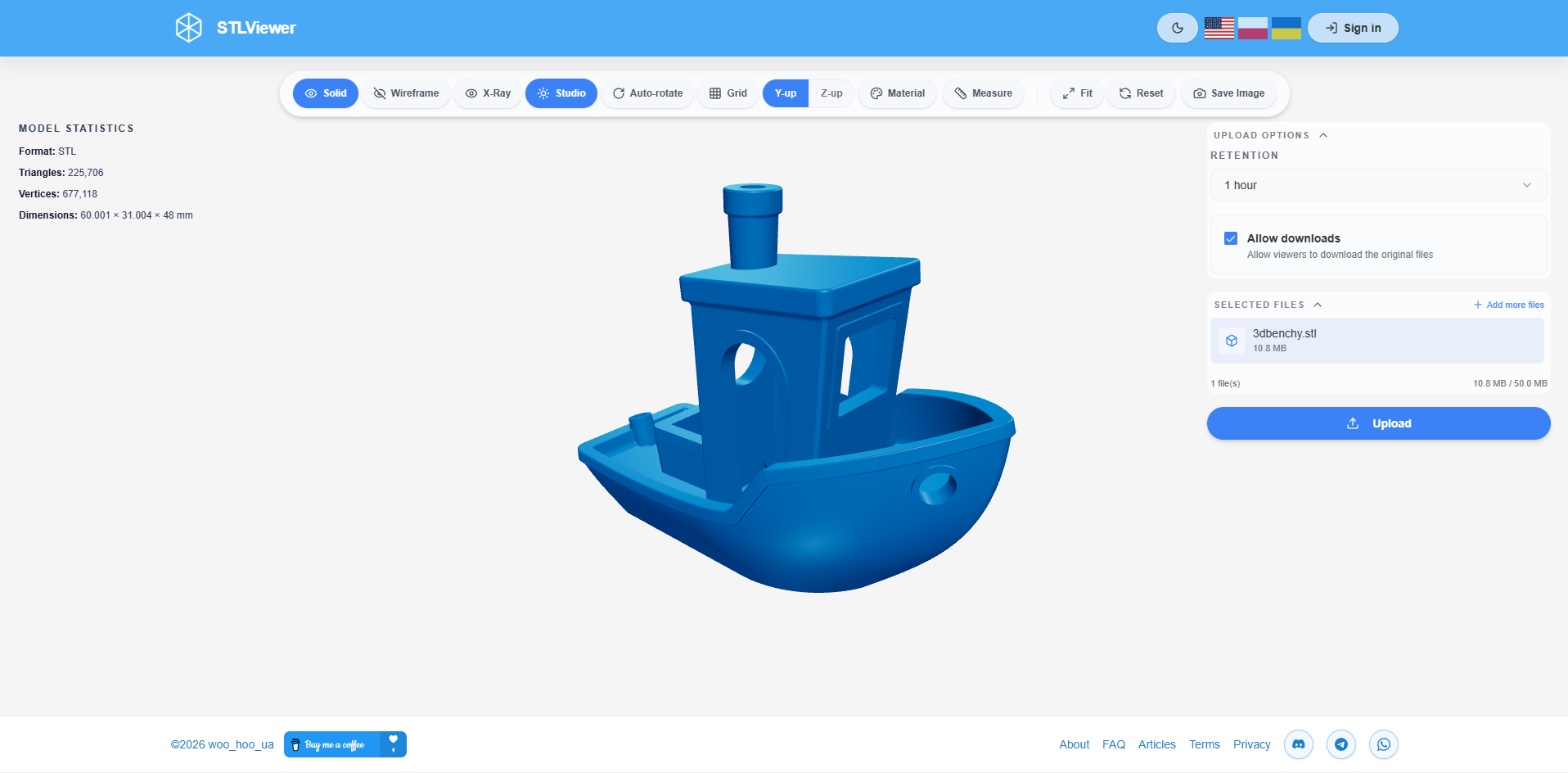
Three modes: Light, Dark, System (follows your OS setting). Preference persists between sessions. The theme loads before page content, so you won't get a flash of the wrong theme on startup.
Drag-and-Drop
Drop a file anywhere on the homepage to start. An overlay confirms accepted file types. Unsupported files are rejected with a clear message rather than silently failing.
Notifications
Upload confirmations, validation errors, clipboard copy results, and other status updates appear as brief toast messages that disappear on their own — they don't interrupt what you're doing.
Language
English, Polish, and Ukrainian. Language preference saves in the browser, and each language has its own URL path: /en/, /pl/, /uk/.
Performance
All rendering runs locally on your hardware through WebGL. No server-side queue, no remote rendering delay — response time is whatever your GPU and browser can manage.
For the kinds of STL and 3MF files most people work with in 3D printing or CAD workflows — models with a few hundred thousand triangles — the viewer loads and renders smoothly on any reasonably modern laptop or desktop. Very dense meshes from photogrammetry scans may take a few seconds to parse when files approach the 20 MB limit.
Material textures are cached per session. If you've already used a preset, switching back to it is instant.
The app is delivered through Cloudflare's global CDN, so load times are fast regardless of where you are.
Mobile and Cross-Platform
Touch controls work exactly as you'd expect:
- One-finger drag: Rotates the model
- Pinch: Zooms in or out
- Two-finger drag: Pans the camera
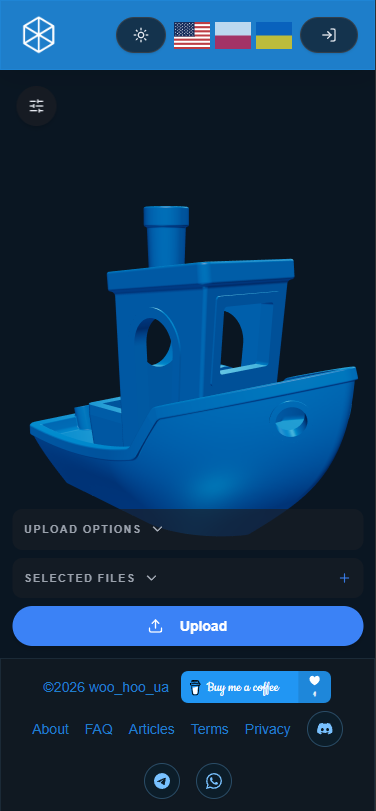
The layout adapts to phone and tablet screen sizes, keeping the 3D canvas large while keeping controls reachable. The viewer renders at your screen's full pixel density, so models look sharp on high-DPI displays.
Same experience on Windows, macOS, Linux, iOS, and Android — Chrome, Firefox, Safari, Edge — no platform-specific setup required.
Privacy and File Retention
Local Preview — Nothing Leaves Your Browser
Dragging a file onto the viewer for a local look never transmits the file anywhere. Rendering happens entirely in your browser. The file only leaves your device if you deliberately click upload.
Anonymous Uploads — No Account Needed
No email, no password, no account.
Configurable Expiry
Every uploaded model has a user-chosen lifetime: 1 hour, 6 hours, 12 hours, 24 hours, 3 days, or 7 days. After expiry, the file is deleted and the link stops working. There's no permanent storage option for anonymous uploads.
No Public Index
Share URLs contain randomly generated identifiers and are not listed anywhere on the site. Model view pages are not indexed by search engines — your uploads won't show up in search results.
GDPR Compliance
STLViewer.online complies with the EU General Data Protection Regulation (EU 2016/679) and the Polish Act on Personal Data Protection (May 10, 2018). Registered users can request access, correction, deletion, or portability of their data. Contact: [email protected].
How It Compares to Alternatives
| Feature | STLViewer.online | GitHub STL Preview | Thingiverse Viewer | Desktop Slicers / CAD |
|---|---|---|---|---|
| Works in browser | ✅ | ✅ | ✅ | ❌ Install required |
| No account to preview | ✅ | ✅ | ✅ | ✅ |
| 3MF support | ✅ | ❌ | ❌ | ✅ Varies |
| Material presets | ✅ Set of presets | ❌ | ❌ | ✅ Full |
| Measurement tool | ✅ | ❌ | ❌ | ✅ |
| Share link | ✅ | GitHub URL | Thingiverse URL | ❌ Manual export |
| QR code generation | ✅ | ❌ | ❌ | ❌ |
| Iframe embed code | ✅ | ❌ | ❌ | ❌ |
| Configurable expiry | ✅ | ❌ Permanent | ❌ Permanent | N/A |
| Works on mobile | ✅ | Limited | Limited | Desktop only |
| Max file size | 20 MB | ~50 MB (repo limit) | Varies | Local disk |
GitHub STL preview shows STL files inline within a repository — but the file has to already be committed, you can't create a standalone link, and there's no visual customization or measurement support.
Thingiverse has a 3D viewer, but every upload becomes a public platform listing. There's no private or temporary sharing option.
Desktop slicers and CAD tools offer the most complete feature sets — but they need to be installed, carry a learning curve for collaborators who aren't designers, and can't produce a direct browser link to a specific file.
STLViewer.online sits between those options: more capable than platform-embedded previewers, far lighter than desktop software, and works on any device with a browser.
What Works Well and What Doesn't
What Works Well
- Zero barrier to entry: Drag a file, see the model — no account, no plugin, no install
- Materials make models presentable: Set of presets with seamless texture projection takes a flat gray mesh and turns it into something you can actually show a client
- Expiry-controlled sharing: Share for a review window without leaving files in the cloud indefinitely
- Embed anywhere: One line of HTML adds an interactive 3D viewer to any documentation page, blog, or product site
- 3MF assembly support: Component-level selection and per-part STL export are rare in browser-based viewers
- QR codes for physical workflows: Print one on a prototype, label, or instruction sheet to link directly to the 3D model
- Privacy by design: Local previews never upload anything; shared files expire on your schedule
Current Limitations
- STL and 3MF only: OBJ, GLTF/GLB, STEP, IGES, and FBX aren't supported
- 20 MB cap: High-density photogrammetry meshes or very detailed sculpts may hit this
- Seven-day maximum: Fine for review workflows, not suitable for long-term model hosting
- No collaboration features: No annotation layers, version history, or team workspaces yet
Who Gets the Most Out of It
3D printing hobbyists and professionals Check that a mesh looks right and share a preview link with a print service or fellow maker — instead of emailing a raw binary that the recipient may not be able to open.
Product designers and mechanical engineers Share a review link with stakeholders who don't have CAD software. Drop the embed code into a Notion page, Confluence doc, or project wiki so the interactive model lives alongside written documentation.
Educators and teachers Generate a QR code for a physical kit, classroom handout, or assembly guide. Students scan it and view the 3D model in their browser — no software required on their end.
Developers and hardware companies Embed the viewer on a product landing page or hardware documentation site so visitors can examine components interactively.
Open-source hardware projects Link to a shared model from a README or project wiki so contributors can inspect parts without cloning the repository or installing extra software.
Rapid prototyping reviews Set a 24-hour expiry, share the link in Slack or email, let the team review the current iteration. The link disappears when the window closes.
Frequently Asked Questions
What file formats does STLViewer.online support?
STL (both binary and ASCII) and 3MF (3D Manufacturing Format). You can also attach supplementary files — images (PNG, JPG, JPEG, WEBP, GIF) and text files (TXT, MD) — alongside the main 3D model.
Do I need to create an account?
No. Preview and share without any account. Anonymous uploads are fully functional and produce a unique share link. An optional account adds dashboard management, download tracking, and the ability to extend expiry times.
How long are uploaded files stored?
You choose at upload time: 1 hour, 6 hours, 12 hours, 24 hours, 3 days, or 7 days. After that period the file is deleted and the share link stops working.
Is STLViewer.online free?
Yes. The viewer and sharing features are completely free — no subscription required.
Can I embed the viewer on my website?
Yes. The share dialog provides an <iframe> embed code you can paste into any webpage. Full 3D interaction and material controls work in the embedded version. The application shell is hidden in embed mode, leaving just the 3D canvas and a small watermark.
What is the maximum file size?
Individual files must be under 20 MB. Uploading a 3D model with attachments together, the total must stay under 50 MB.
Are shared models indexed by search engines?
No. Model view pages are served with noindex, nofollow meta tags and won't appear in search results.
Does the viewer work on mobile?
Yes. Touch gestures are fully supported — drag to rotate, pinch to zoom, two-finger drag to pan. Layout adapts to small screens and all controls meet comfortable touch target sizes.
Can I download a QR code for my model?
Yes. The share dialog generates a QR code and lets you download it as PNG or SVG.
Does STLViewer.online support OBJ, GLTF, or STEP files?
Not currently. The viewer focuses on STL and 3MF. OBJ, GLTF/GLB, STEP, IGES, and other formats aren't supported at this time.
Is the application GDPR compliant?
Yes. STLViewer.online complies with EU GDPR (EU 2016/679). Registered users can request access, correction, deletion, or portability of their data. Contact: [email protected].
The Bottom Line
STLViewer.online fills the gap between "open the file in a slicer" and "email the raw binary" — fast in-browser inspection, a shareable link with configurable expiry, an embed snippet for interactive documentation, and enough visual customization to produce something actually presentation-worthy.
The material preset system with seamless texture rendering is noticeably more polished than the default gray mesh you get from most browser-based alternatives. The measurement tool and 3MF assembly support add real practical depth for engineering and manufacturing use cases. Privacy is handled sensibly — local previews stay local, shared files expire on your schedule.
The format scope (STL and 3MF only) is a genuine constraint, and the 20 MB limit will catch very dense scanned meshes. Within those limits, though, the tool does its job cleanly: take a 3D file, understand it quickly, share it without friction.
If STL or 3MF files are a regular part of your work and you need to share, review, or embed them, STLViewer.online is worth keeping in your toolkit.
Open stlviewer.online and drag your first STL or 3MF file onto the page to get started.