
3MF Viewer Online
STLViewer is a free, browser-based 3MF viewer. Drop a .3mf file onto the page and the model renders instantly with WebGL — no installation, no account, and no upload of your file to a server unless you choose to share it. It works on Windows, macOS, Linux, ChromeOS, and mobile, because everything runs inside the browser you already have.
3MF is the modern successor to STL. It is an open, ISO-standardized container that can carry colors, materials, multiple objects, and accurate units in a single compact file. This page explains how to open a 3MF file online, what the viewer supports, and how 3MF compares to STL so you can decide which format fits your workflow.
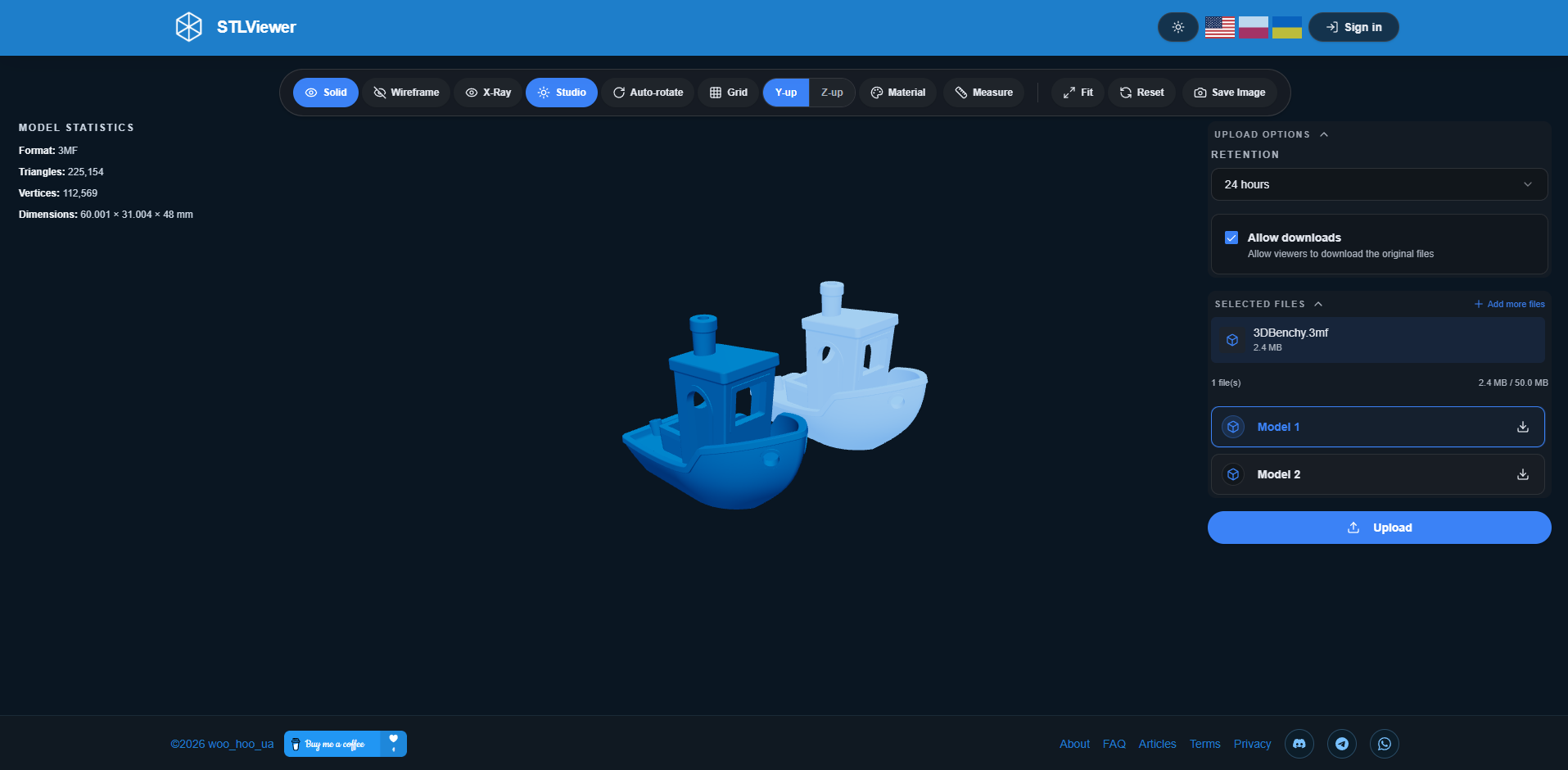
How to view a 3MF file
- Open the viewer. Go to STLViewer in any modern browser. There is nothing to download or install, and you do not need an account to preview a model.
- Add your 3MF file. Drag a .3mf file onto the upload zone, or click to browse and select it. The file is parsed locally in your browser — for anonymous previews the geometry never leaves your device.
- Inspect the model. Rotate, pan, and zoom with your mouse or touch. Switch material presets, toggle the grid, measure distances on the mesh, and read live statistics such as triangle count and bounding-box dimensions.
- Share or export. Generate a private share link to send the model to anyone, capture a screenshot, or export the mesh as STL. Anonymous share links expire automatically; an account lets you keep and manage models longer.
3MF features supported
STLViewer focuses on the mesh content of a 3MF package and renders it faithfully. The following capabilities are supported when you open a 3MF file:
- Indexed mesh geometry: The viewer reads the shared vertex list and indexed triangles from the 3MF model part, so watertight, manifold meshes render exactly as authored.
- Multiple objects and assemblies: Files that place several objects on the build plate are loaded together, with a model list panel so you can isolate and inspect individual parts.
- Correct units and scale: 3MF stores its unit of measurement in the file, so models open at the right scale instead of being guessed — no more accidental millimeter-versus-inch mismatches.
- Colors and base materials: sRGB base-material colors defined in the package are applied to the mesh, so multi-color models look the way they were exported.
- Export to STL: Need a plain mesh? Convert the loaded 3MF geometry to a binary STL with one click for tools that only accept STL.
- Measurement and screenshots: Measure distances directly on the surface and download a high-resolution screenshot of the exact view you want to share.
3MF vs STL
STL is the long-standing default for 3D printing, but it carries almost no context beyond raw triangles. 3MF was designed to fix those limitations. Here is how the two formats compare:
| Capability | STL | 3MF |
|---|---|---|
| Container | Single flat file (binary or ASCII) | ZIP archive of XML parts (Open Packaging Conventions) |
| Geometry | Triangle soup — vertices repeated per face | Indexed mesh — each vertex defined once |
| Units | None — scale must be assumed | Stored explicitly (e.g. millimeter, inch) |
| Color & materials | Not supported | sRGB colors, base materials, textures (via extensions) |
| Multiple objects | One mesh per file | Many objects, components, and assemblies in one file |
| File size | Often larger due to duplication | Usually smaller thanks to ZIP compression |
| Standard | De-facto, unversioned | Open standard, ISO/IEC 25422:2025 |
Why a browser-based 3MF viewer?
Installing a slicer or CAD tool just to glance at a model is overkill. A browser-based viewer opens a .3mf file in seconds on any device, with nothing to update and nothing to license. That makes it ideal for quickly checking a download, reviewing a client's file, or confirming an export before you commit it to a print job.
It is also private by design. For anonymous previews the file is parsed on your own machine, so the geometry is not sent anywhere. When you do want to collaborate, you create a share link that acts as the access token — shared models are never indexed by search engines or listed publicly, so only the people you send the link to can open them.
Frequently asked questions
- Can I open a 3MF file online without installing software?
- Yes. STLViewer opens 3MF files entirely in your browser using WebGL. There is nothing to install and no account is required to preview a model.
- Is the 3MF viewer free?
- Yes, it is completely free. You can open, inspect, screenshot, and share 3MF models at no cost, with or without an account.
- Does viewing my 3MF file upload it to a server?
- No. For anonymous previews the file is parsed locally in your browser and the geometry stays on your device. Bytes are only uploaded if you explicitly create a share link.
- Does the viewer read 3MF colors and multiple objects?
- Yes. Base-material sRGB colors are applied to the mesh, and files containing several objects load together with a model list so you can isolate each part.
- Can I convert a 3MF file to STL?
- Yes. Once a 3MF model is loaded you can export its geometry as a binary STL file with one click.
- Are slicer settings inside the 3MF preserved?
- The viewer renders the mesh geometry, colors, and units. Slicer-specific project data such as supports and print profiles is ignored — open the file in its slicer to edit those.
Open your 3MF file now
Drag a .3mf file into STLViewer and see it render in seconds — no install, no account, no waiting.
Open a 3MF file