
Changelog
Last updated: 2026-06-06
June 6, 2026
Measurement Tools, Model Units & Release Notes
Measurement tooling has been expanded well beyond simple distance. You can now measure angles (pick three points — the middle one is the corner), measure circles (hover to auto-detect rims and rounded edges, click to commit), and draw a bounding box around a model to read its overall dimensions at a glance.
Model units on upload — since a large share of our visitors are in the US, you can now declare the original units of a model when you upload it and have all measurements converted between millimetres and inches. STL files carry no unit information of their own, so setting this correctly makes every measurement read in the units you actually expect.
Release notes page — this changelog now has a dedicated page so you can follow what's new in one place, instead of finding out about features by accident.
New article: STL vs 3MF — a guide to help you decide which format to choose for sharing and viewing your models, covering the practical trade-offs between the two.
Also in this release: improved sitemap generation for better SEO coverage.
May 28, 2026 — Hotfix
Two regressions from the earlier May 28 release were fixed the same evening:
- Clear View mode no longer reloads the model when the UI is hidden. Materials, measurements and other in-session settings are now preserved correctly.
- Popup menus in fullscreen (e.g. the Materials dropdown) are now visible and fully usable without having to leave fullscreen first.
May 28, 2026
Toolbar, Section Analysis, PWA & Measurement Tools
The toolbar has been redesigned once more — the new layout handles smaller screens noticeably better and leaves room to grow as new features are added, without things getting cramped.
Section Analysis is a new inspection mode that lets you cut through a model and examine its internal geometry. Two visualisation styles are available: Hollow (open cross-section) and Capped (filled face).
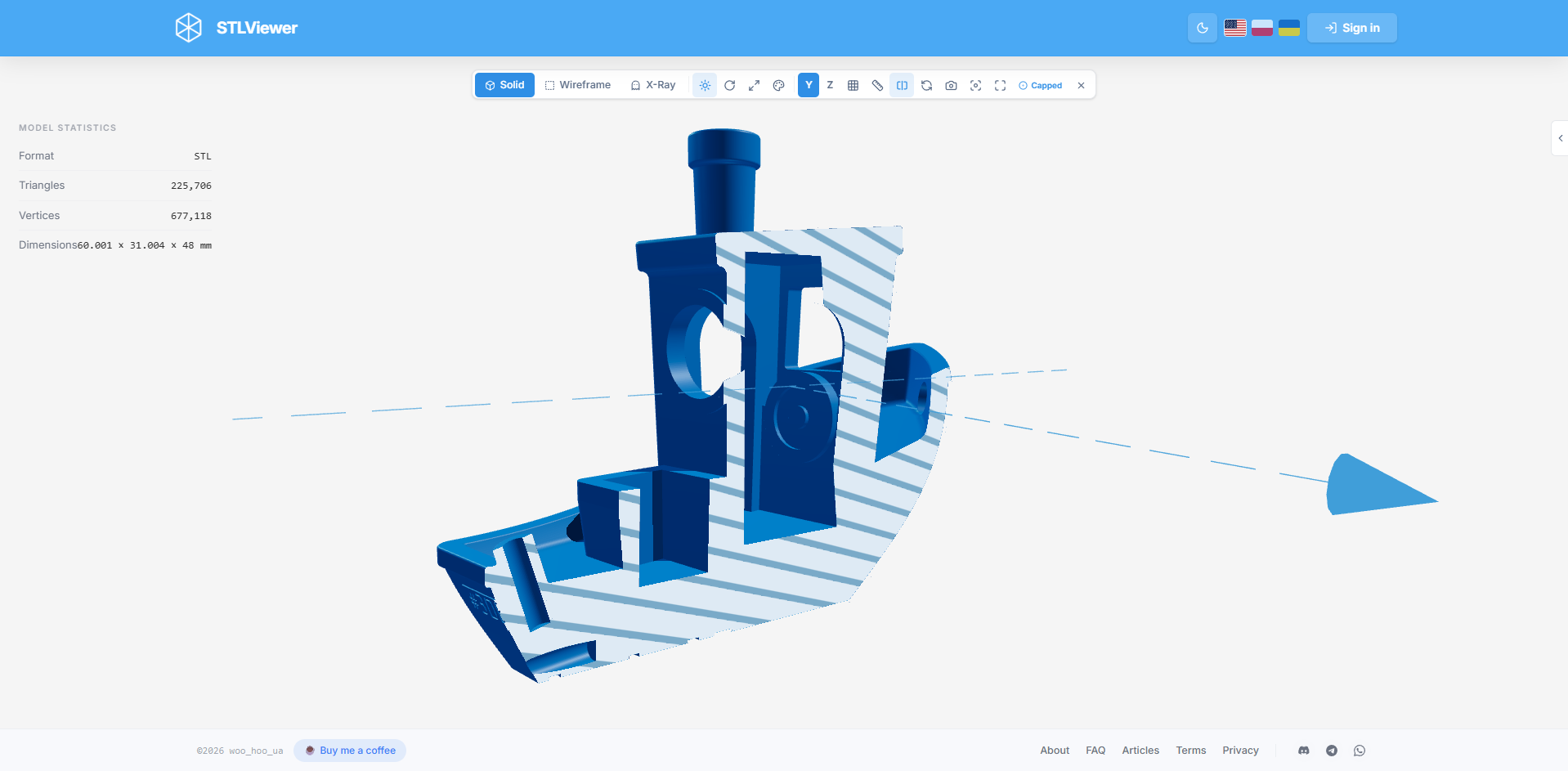
PWA (Progressive Web App) support is now available on Windows, Linux and Android via any Chromium-based browser. On desktop the app integrates with your file manager so you can open STL and 3MF files directly. On Android it works through the system Share menu.
Measurement improvements: placed measurement points now snap to the nearest surface geometry, and you can edit an already-placed point after positioning it.
Multi-material 3MF: if your 3MF file contains colours or embedded textures you can enable them from Materials → File Materials.
May 22, 2026
Fullscreen, Clear View & QR Update
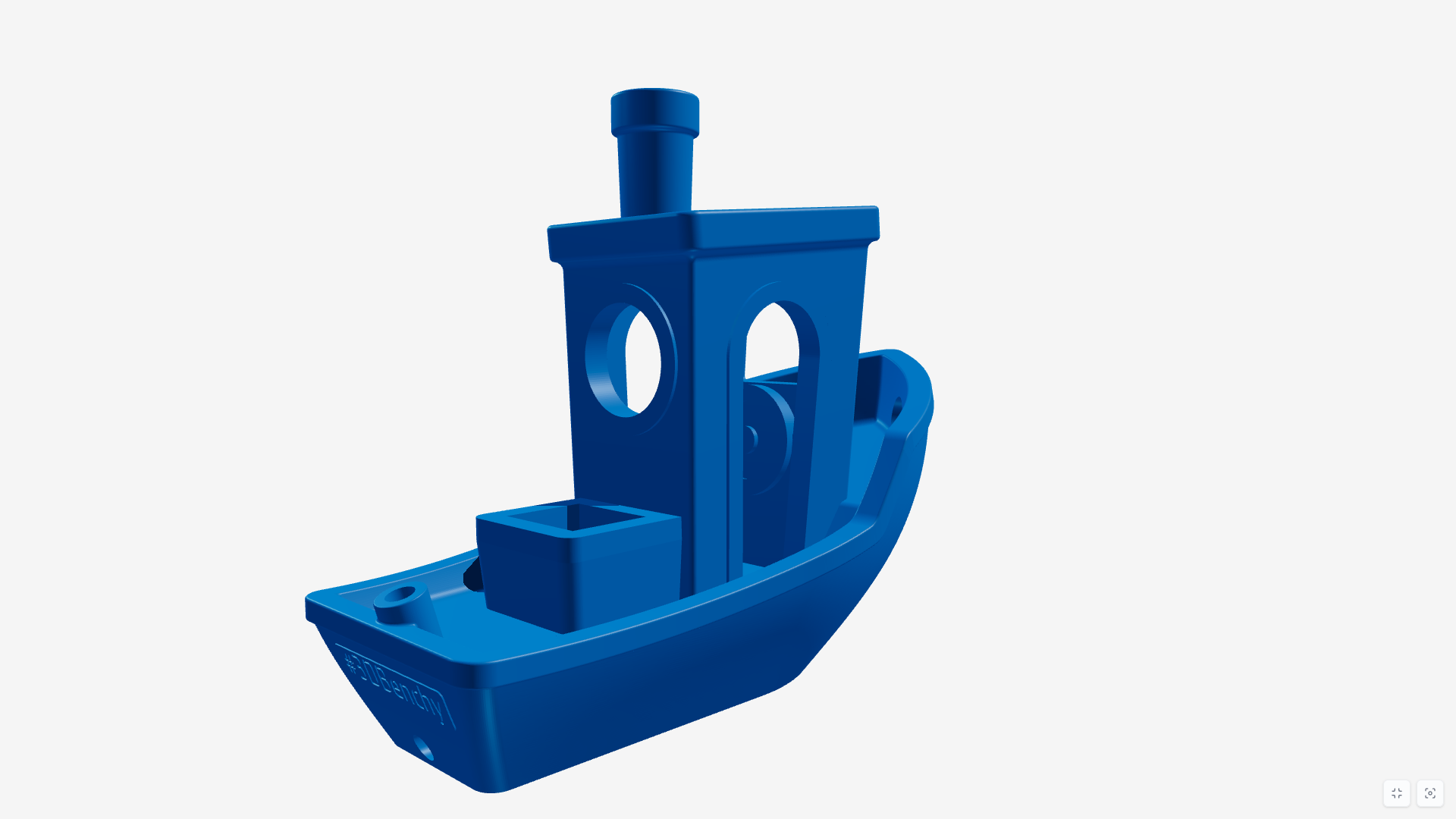
Two new presentation-oriented viewing modes:
- Fullscreen — expands the viewer to true fullscreen. Handy for presentations, showcases, or just distraction-free browsing.
- Clear View — hides all toolbars and panels, showing only the model. Combined with fullscreen this creates a very clean, minimal presentation experience.
QR codes now use the app's colour scheme and include the STLViewer.online logo.
Also in this release: minor article and SEO refinements, a fix for incorrect model positioning with Z-up axis selected, and smoother panel sliding on mobile.
May 15, 2026
Interface Redesign
The entire app has moved from pill-style controls to a cleaner rectangular layout. As more features were added over time, the old design started wasting space and some controls no longer fit well. The new layout is more consistent, handles small screens better and is easier to extend going forward.
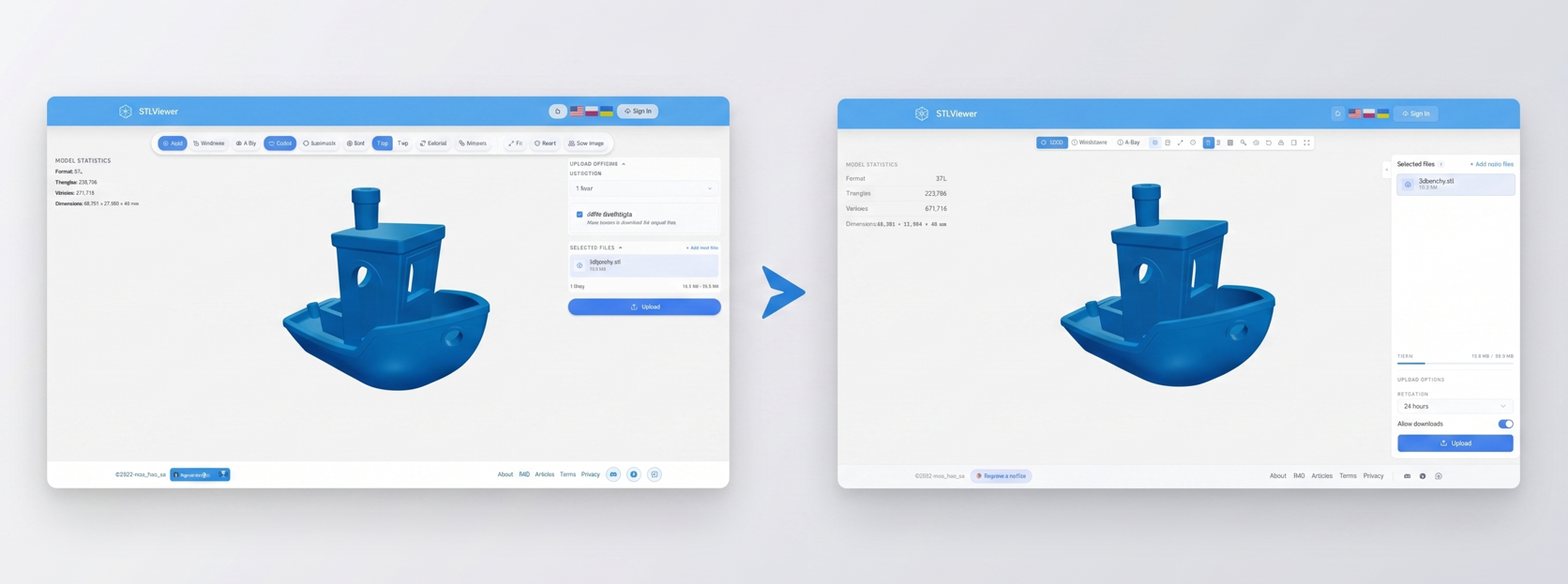
Also included: a new article covering the full feature overview, plus fixes for grid state, auto-rotate state persistence after upload, and several translation issues.
May 13, 2026
3MF Extraction, QR Codes, Snapshots & More
A packed release with several independently useful features:
- 3MF model extraction — pull individual models out of a multi-object 3MF file and download each one as a separate STL.
- QR code generation — every upload now produces a QR code pointing to the share link, available to download as SVG or PNG.
- PNG snapshot — capture the current 3D view as a PNG image directly from the viewer toolbar.
- Grid toggle — show or hide the reference grid from the toolbar.
- Model statistics panel — replaces the old "supported limits" section with live geometry stats for the loaded model.
- Copy Embed — the upload success dialog now includes a one-click button to copy ready-to-use HTML embed code. No account needed.
Bug fixes: iOS file selection, Open Graph preview generation, routing and localisation issues, Ukrainian button widths, late mobile toolbar breakpoint.
May 2, 2026
External URL Rendering, Storage Extension & Axis Switching
- External URL rendering — point STLViewer at any publicly accessible
.stlor.3mfURL (must be HTTPS and CORS-enabled) to view it without uploading. A clean way to use the renderer embedded in your own site or documentation. Models loaded by URL cannot be saved to your library. - Extend storage time — registered users can now extend the retention period of uploaded models. The maximum is still 7 days from the original upload date.
- Z-up / Y-up axis switching — toggle model orientation from the toolbar. Previously restricted to registered users only, now available to everyone.
Also fixed: Open Graph preview generation for registered users and incorrect footer navigation translations.
April 25, 2026
File Attachments & Auto-Rotate
- File attachments — attach images (PNG, JPG, GIF, WEBP) or text files (TXT, MD) to any model. Each attachment renders an inline preview so you can review content without downloading. File types have their own icons for easier navigation.
- Auto-rotate — models now spin automatically on load for a quick all-round look. Toggle it off from the toolbar whenever you prefer a static view.
Also included: SEO fixes from Google Search Console reports and updated documentation for the STL and 3MF format articles.
April 19, 2026
Content Pages & Language Improvements
Added About, FAQ and Articles pages to give context, answer common questions and provide useful reference content. The language selector was also improved for a smoother experience across locales, alongside a set of under-the-hood SEO improvements.
April 17, 2026
Material Presets, Settings Fix & Telegram
- Material presets (experimental) — change the appearance of a model using predefined materials and colours. This is an early version of the feature and will evolve over time.
- Model settings on upload — scale, rotation, materials and other settings configured before upload now correctly define how the model appears to people you share it with.
- Added a link to the Telegram channel in the footer for ideas, bug reports or just following the project.
Bug fixes: account deletion and viewer toolbar translations.
April 11, 2026
Distance Measurement & Share Link Previews
- Distance measurement tool — measure distances directly inside the 3D model preview.
- Open Graph previews — shared links now render rich image previews when posted in messaging apps and social platforms.
Also in this release: improved mobile layout fixes and more accurate, clearly visible upload progress feedback.
March 31, 2026
Accounts, Rendering Rewrite & New Appearance
A larger milestone update covering several areas at once.
Appearance
- Dark and Light mode, toggled from the toolbar.
- Redesigned model settings panel.
- Auto-save for model state and viewer configuration between sessions.
Rendering engine — fully rewritten for better performance and visual quality, with a round of bug fixes included.
Accounts & model management
Optional user accounts are now available. Anonymous usage remains fully supported and will always stay that way — accounts are opt-in and only minimal data is collected.
With an account you can manage multiple models from a dashboard, upload several files and switch between them in a single session, update or delete models at any time, and view basic model statistics. There is currently no email confirmation step, which also means no password recovery if you enter the wrong address — so double-check it on sign-up.
3MF — multi-object 3MF files now render as a single unified view rather than isolated pieces.
Other — headless rendering mode for embedding in external pages, and an option to disable the Download button on shared links.