Changelog
Last updated: 2026-08-31
Pokaż tu na stronie okno przy nowym wydaniu. Działa bez konta, zapisywane w tej przeglądarce.
August 31, 2026
PLY File Support
A third format alongside STL and 3MF. You can now upload, view, share, and download PLY files — ASCII or binary, either byte order — the format most 3D scanners and intraoral scanners export. PLY models get the full viewer experience: measurement, section view, split into parts, explode, annotations, and everything else that already worked for STL and 3MF.
Point-cloud PLYs (files with no faces, just points) aren't supported yet — uploading one now gives a clear error instead of an empty viewer.
There's also a new /ply-viewer page and PLY files can be opened directly from an external URL, the same way STL and 3MF files can. If you've installed STLViewer as an app, .ply files now open straight from your file manager and the Android share sheet too.
Sign In with Google or Microsoft
Skip the password. You can now sign up or sign in with your Google or Microsoft account — look for the new provider icons next to the email form on the sign-in and sign-up pages. Microsoft sign-in works with both personal and work/school accounts.
Already have an STLViewer account? Link a Google or Microsoft account from Connected Accounts in your profile settings, so you can sign in either way. The provider's email address doesn't have to match the one on your account — whichever you pick is added to the account you're already signed in to. You can unlink a provider later, as long as it isn't the only way left into your account.
If you only ever sign in with Google or Microsoft, you have no password — so deleting your account now confirms with a one-time code emailed to your address instead of asking for one.
Exploded View & Splitting Models into Parts
See inside your assemblies. Multi-part models can now be pulled apart with a new explode slider in the viewer — drag it and the parts spread outward from the centre of the assembly, so you can see how the pieces fit together and get at components that are otherwise buried inside. The whole assembly opens up evenly rather than drifting apart in two rigid halves, and parts sitting right at the centre — a shaft in a hub, nested rings — are fanned out too instead of staying put. Drag back to zero and the model reassembles exactly as it was.
"Split into parts" — now for STL files too. A 3MF file knows which meshes are separate objects, but an STL is just one big pile of triangles, so a multi-part STL has always loaded as a single inseparable blob. There's now a Split into parts button for STL files: press it and STLViewer works out which pieces are physically separate and treats them as individual parts. You get the same object list, per-part selection and export — and the same explode slider — that multi-object 3MF files already had.
Both work before you upload. The explode slider and the split button are also in the local preview you see while picking files, so you can take a model apart and look it over without publishing anything.
Staying Signed In
Your session no longer expires out from under you. Signing in used to last exactly one hour, after which the app quietly logged you out mid-session with no way back but to sign in again. Sessions now renew themselves in the background for as long as you're using the app, stay in step across multiple tabs, and pick back up when you return to a tab you left open.
Password reset works. The "forgot your password" flow was reaching an endpoint that didn't exist, so requesting a reset email did nothing at all. Requesting a reset now sends the email, and the link in it opens a working reset page.
New accounts confirm their email address. Signing up now sends a confirmation link, and the account activates when you open it — which also means a mistyped address is caught at the point of signup rather than discovered later, when a forgotten password leaves you locked out of an inbox you never had. Clicking the link signs you straight in, and you can re-send it if it doesn't arrive. Existing accounts are unaffected, and uploading without an account is unchanged — no email, no account, as before.
We also tightened up how a signed-in session is stored: the long-lived part of it now lives in a cookie that no script on the page can read, so it can't be lifted out of the browser. Your existing session carries over — there's nothing you need to do.
Release Notes You'll Actually See
New releases now announce themselves. A short What's new popup shows the latest entry once, and the Changelog link in the footer carries a small dot while there's something you haven't read yet. If you'd rather not be interrupted, there's a "Notify me about new releases" toggle in the popup itself, in your profile's Settings, and at the top of the Changelog page — switching it off leaves just the quiet dot.
Also fixed: shared "open from URL" links were returning an error page instead of the model — those work again. And on narrow screens the viewer toolbar's More menu could grow past the bottom of the screen and leave its last few controls out of reach; it now scrolls instead. Switching the background to or from Transparent also used to reload the whole model — losing your camera position and replaying notices you had already dismissed — and now simply changes the backdrop.
July 21, 2026
Collections
We're building Collections — a way to group your models and share them all with a single link. Shared collection links open a public page with thumbnail previews and a tile/list view toggle.
You can now create, rename, and delete collections right from your Dashboard, which has a new Collections area showing each collection's model count and a one-click copy link. Adding models is just as easy: use the new "Add to collection" action on any model row, select several models at once with the new checkbox column for a bulk add, from the model viewer itself when you own the model, or manage members straight from a collection's own page — where owners get rename, description editing, an "Add models" picker, and per-model remove buttons.
Shared collection links now unfurl nicely when pasted into Slack, Discord, or Telegram, with the collection's name, description, and a preview image.
Dashboard
We've redesigned the dashboard to be more modern and useful, especially to make room for the new Collections feature.
Mobile Fit & Finish
We tried to fix an issue where the app didn't quite fit your screen like a native app. On phones the viewer could stretch behind the browser's address bar, so things could slide off the bottom edge or stray scrollbars could appear — hopefully it works everywhere as expected now. The info panel on mobile now starts minimized with the model front and centre the moment it loads, and pull-to-refresh no longer kicks in while you're rotating a model.
Also fixed: on laptops with smaller screens the home page no longer shows an inner scrollbar next to the upload area — the layout compacts itself to fit, and for signed-in users the feature overview steps aside to make room for your recent uploads.
July 11, 2026
Comments, Subscriptions & a Full Model Colour Picker
Comments have arrived — and they're built to feel like a conversation. You can now leave comments on any model, and we've tried hard to make the whole thing feel like a real discussion rather than a flat list of remarks — closer to a chat thread than a comment box. Comments can be pinned to the model itself, so you can point at a specific part and talk about exactly that, or left independent as general notes about the model as a whole. It's a genuinely fun little corner of the app — worth trying and exploring to see what you can do with it.
Support the project with a subscription. For everyone who'd like to back STLViewer on an ongoing basis, there's now a subscription option — and as a small thank-you, subscribers get a bit more room to work with: extended storage and longer retention for their models. It's our way of saying thanks for helping keep the project going, and we hope you'll like it.
A proper custom colour picker for your model. The model colour is no longer limited to a handful of presets — you can now dial in any custom colour you like and have your model look exactly the way you want when you share it.
Also fixed: the model colour and background colour you picked before uploading are now saved correctly with the model, instead of being lost on upload.
June 29, 2026
Bring Your Own Storage, Background & Model Colours
Your own storage — the big one. Until now every uploaded model lived in our storage. From this release you can keep your files entirely on storage you own and control. We're starting with two options: a Cloudflare R2 bucket, or Google Drive — and more providers are on the way. Once connected, new uploads from your account go straight to your own account instead of ours; nothing in between. If you've ever wanted to know exactly where your models sit, this is for you. Setup takes about ten minutes for R2 and just a few clicks for Drive — we wrote step-by-step guides for both: connect a Cloudflare R2 bucket and connect Google Drive.
Pick your background. The viewer background is no longer fixed. Choose from the presets, dial in a custom colour of your own, or switch to an environment backdrop for a bit more depth behind the model.
Colour your model. You can now set a custom colour for the model itself, so it looks the way you want when you share it — and the colour you choose sticks with the model from upload onward.
Also fixed: models could render incorrectly when a 3MF and an STL file landed in the same upload batch. That's sorted.
June 21, 2026
Embedding Overhaul, oEmbed Support & an Experimental MCP Server
Embedding has been reworked from the ground up. Beyond the existing one-click embed code, you can now fine-tune how an embedded model looks and behaves through a wide range of parameters — controlling toolbar visibility, interaction options, appearance and more — so the viewer fits the page you're putting it on rather than the other way around. A dedicated embed screen brings all of this together in one place, with a live preview as you adjust each setting.
oEmbed support — STLViewer now implements the oEmbed protocol, so platforms that understand it can automatically turn a shared link into a rich, interactive embed without any manual markup.
New articles on embedding — step-by-step guides covering how to embed a model and make the most of the new configuration options.
Experimental MCP server — there's now a test Model Context Protocol server that lets agentic tools work with your models. It's more fun than practical for now, but the door is open — maybe someone will find a clever use for it.
Also in this release: fixed CORS for embedded images, and cleaned up a number of unnecessary redirects and trailing-slash quirks.
June 6, 2026
Measurement Tools, Model Units & Release Notes
Measurement tooling has been expanded well beyond simple distance. You can now measure angles (pick three points — the middle one is the corner), measure circles (hover to auto-detect rims and rounded edges, click to commit), and draw a bounding box around a model to read its overall dimensions at a glance.
Model units on upload — since a large share of our visitors are in the US, you can now declare the original units of a model when you upload it and have all measurements converted between millimetres and inches. STL files carry no unit information of their own, so setting this correctly makes every measurement read in the units you actually expect.
Release notes page — this changelog now has a dedicated page so you can follow what's new in one place, instead of finding out about features by accident.
New article: STL vs 3MF — a guide to help you decide which format to choose for sharing and viewing your models, covering the practical trade-offs between the two.
Also in this release: improved sitemap generation for better SEO coverage.
May 28, 2026 — Hotfix
Two regressions from the earlier May 28 release were fixed the same evening:
- Clear View mode no longer reloads the model when the UI is hidden. Materials, measurements and other in-session settings are now preserved correctly.
- Popup menus in fullscreen (e.g. the Materials dropdown) are now visible and fully usable without having to leave fullscreen first.
May 28, 2026
Toolbar, Section Analysis, PWA & Measurement Tools
The toolbar has been redesigned once more — the new layout handles smaller screens noticeably better and leaves room to grow as new features are added, without things getting cramped.
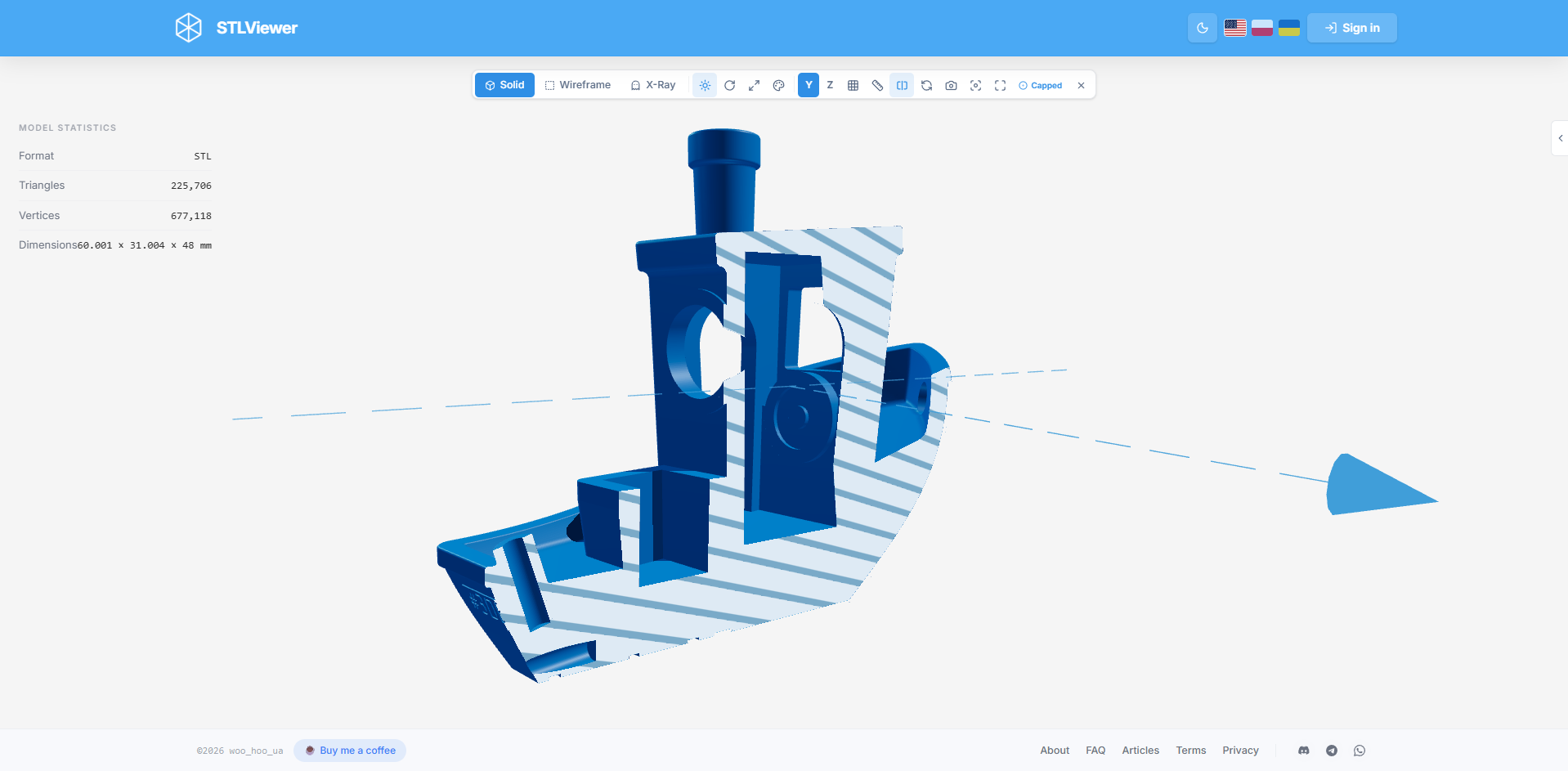
Section Analysis is a new inspection mode that lets you cut through a model and examine its internal geometry. Two visualisation styles are available: Hollow (open cross-section) and Capped (filled face).
PWA (Progressive Web App) support is now available on Windows, Linux and Android via any Chromium-based browser. On desktop the app integrates with your file manager so you can open STL and 3MF files directly. On Android it works through the system Share menu.
Measurement improvements: placed measurement points now snap to the nearest surface geometry, and you can edit an already-placed point after positioning it.
Multi-material 3MF: if your 3MF file contains colours or embedded textures you can enable them from Materials → File Materials.
May 22, 2026
Fullscreen, Clear View & QR Update
Two new presentation-oriented viewing modes:
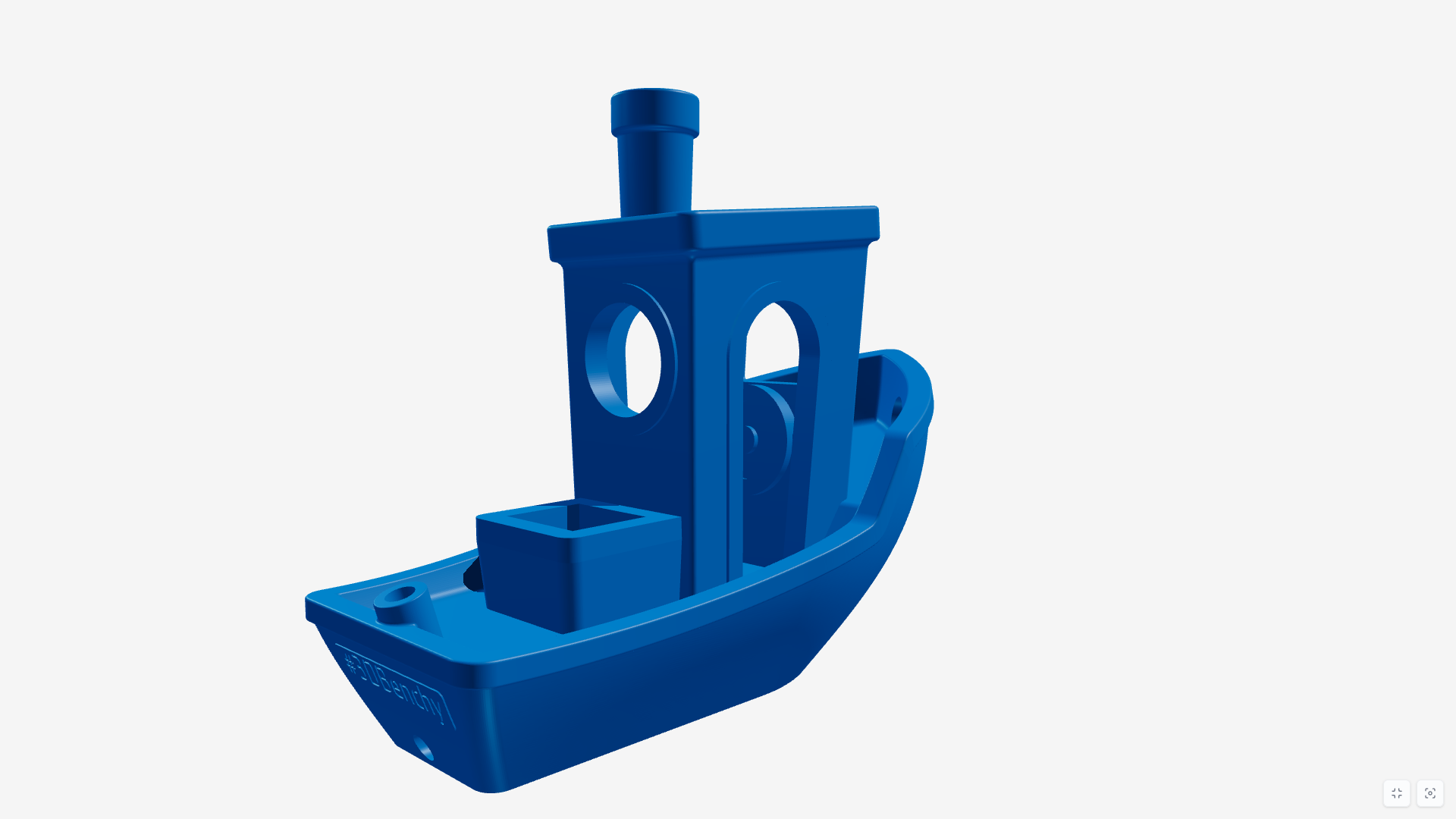
- Fullscreen — expands the viewer to true fullscreen. Handy for presentations, showcases, or just distraction-free browsing.
- Clear View — hides all toolbars and panels, showing only the model. Combined with fullscreen this creates a very clean, minimal presentation experience.
QR codes now use the app's colour scheme and include the STLViewer.online logo.
Also in this release: minor article and SEO refinements, a fix for incorrect model positioning with Z-up axis selected, and smoother panel sliding on mobile.
May 15, 2026
Interface Redesign
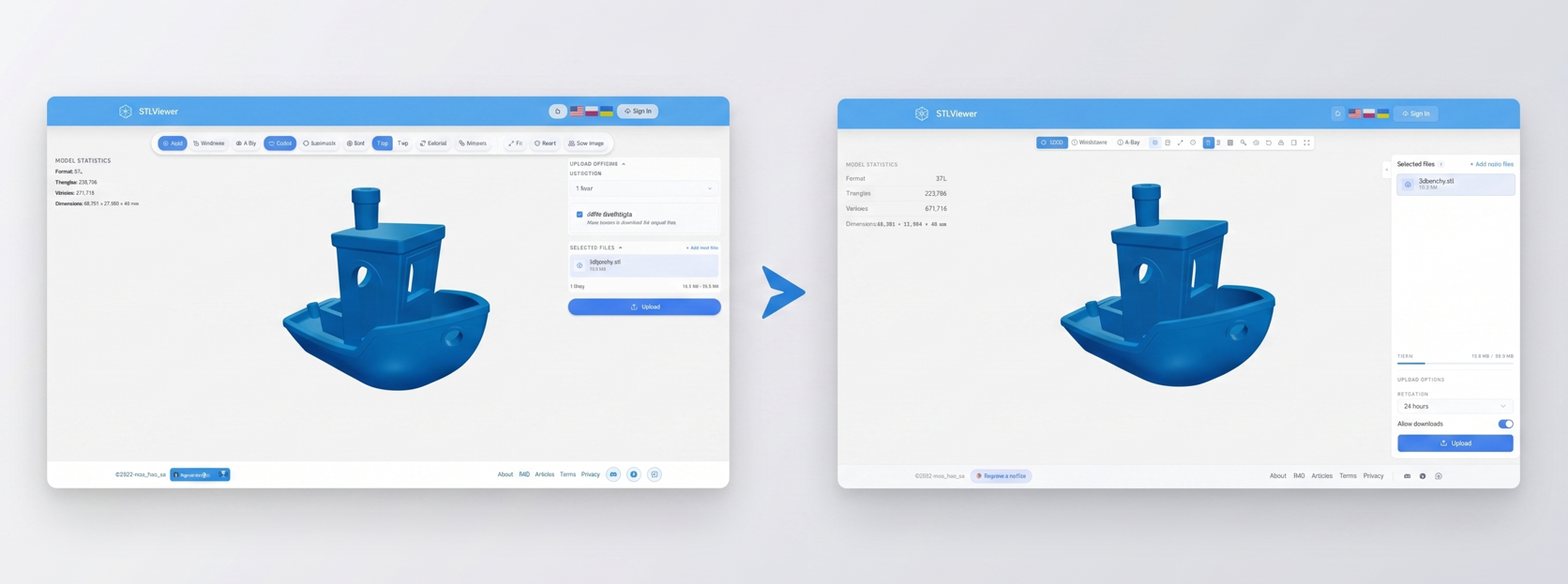
The entire app has moved from pill-style controls to a cleaner rectangular layout. As more features were added over time, the old design started wasting space and some controls no longer fit well. The new layout is more consistent, handles small screens better and is easier to extend going forward.
Also included: a new article covering the full feature overview, plus fixes for grid state, auto-rotate state persistence after upload, and several translation issues.
May 13, 2026
3MF Extraction, QR Codes, Snapshots & More
A packed release with several independently useful features:
- 3MF model extraction — pull individual models out of a multi-object 3MF file and download each one as a separate STL.
- QR code generation — every upload now produces a QR code pointing to the share link, available to download as SVG or PNG.
- PNG snapshot — capture the current 3D view as a PNG image directly from the viewer toolbar.
- Grid toggle — show or hide the reference grid from the toolbar.
- Model statistics panel — replaces the old "supported limits" section with live geometry stats for the loaded model.
- Copy Embed — the upload success dialog now includes a one-click button to copy ready-to-use HTML embed code. No account needed.
Bug fixes: iOS file selection, Open Graph preview generation, routing and localisation issues, Ukrainian button widths, late mobile toolbar breakpoint.
May 2, 2026
External URL Rendering, Storage Extension & Axis Switching
- External URL rendering — point STLViewer at any publicly accessible
.stlor.3mfURL (must be HTTPS and CORS-enabled) to view it without uploading. A clean way to use the renderer embedded in your own site or documentation. Models loaded by URL cannot be saved to your library. - Extend storage time — registered users can now extend the retention period of uploaded models. The maximum is still 7 days from the original upload date.
- Z-up / Y-up axis switching — toggle model orientation from the toolbar. Previously restricted to registered users only, now available to everyone.
Also fixed: Open Graph preview generation for registered users and incorrect footer navigation translations.
April 25, 2026
File Attachments & Auto-Rotate
- File attachments — attach images (PNG, JPG, GIF, WEBP) or text files (TXT, MD) to any model. Each attachment renders an inline preview so you can review content without downloading. File types have their own icons for easier navigation.
- Auto-rotate — models now spin automatically on load for a quick all-round look. Toggle it off from the toolbar whenever you prefer a static view.
Also included: SEO fixes from Google Search Console reports and updated documentation for the STL and 3MF format articles.
April 19, 2026
Content Pages & Language Improvements
Added About, FAQ and Articles pages to give context, answer common questions and provide useful reference content. The language selector was also improved for a smoother experience across locales, alongside a set of under-the-hood SEO improvements.
April 17, 2026
Material Presets, Settings Fix & Telegram
- Material presets (experimental) — change the appearance of a model using predefined materials and colours. This is an early version of the feature and will evolve over time.
- Model settings on upload — scale, rotation, materials and other settings configured before upload now correctly define how the model appears to people you share it with.
- Added a link to the Telegram channel in the footer for ideas, bug reports or just following the project.
Bug fixes: account deletion and viewer toolbar translations.
April 11, 2026
Distance Measurement & Share Link Previews
- Distance measurement tool — measure distances directly inside the 3D model preview.
- Open Graph previews — shared links now render rich image previews when posted in messaging apps and social platforms.
Also in this release: improved mobile layout fixes and more accurate, clearly visible upload progress feedback.
March 31, 2026
Accounts, Rendering Rewrite & New Appearance
A larger milestone update covering several areas at once.
Appearance
- Dark and Light mode, toggled from the toolbar.
- Redesigned model settings panel.
- Auto-save for model state and viewer configuration between sessions.
Rendering engine — fully rewritten for better performance and visual quality, with a round of bug fixes included.
Accounts & model management
Optional user accounts are now available. Anonymous usage remains fully supported and will always stay that way — accounts are opt-in and only minimal data is collected.
With an account you can manage multiple models from a dashboard, upload several files and switch between them in a single session, update or delete models at any time, and view basic model statistics. There is currently no email confirmation step, which also means no password recovery if you enter the wrong address — so double-check it on sign-up.
3MF — multi-object 3MF files now render as a single unified view rather than isolated pieces.
Other — headless rendering mode for embedding in external pages, and an option to disable the Download button on shared links.